

How to Get Humble Bundle Alerts in Your Discord Server
Humble Bundles only run for a few weeks, and the good ones (a pile of Steam keys for the price of lunch) are easy to miss. Our Humble Bundle feed posts whenever a notable new bundle goes live, with what’s in each tier, what the games cost on their own and when the bundle ends.
Plug it into your Discord server with any RSS bot and your members see every bundle the day it drops.
The Scroll in Brief
- The feed:
https://loregoblins.com/tag/humble-bundle/feed/ - What you get: game bundles and the book or software bundles gamers care about, tier by tier.
- How often: only when there’s a new bundle worth knowing about, so it never floods the channel.
- Best free bot: MonitoRSS.
Step 1: Copy the Humble Bundle Feed
https://loregoblins.com/tag/humble-bundle/feed/Make a channel for it, like #humble-bundles, then follow the steps for your bot.
MonitoRSS (Free, Recommended)
- Open the control panel at monitorss.xyz and log in with Discord.
- Paste the feed into Search popular feeds or paste a URL and click Add Feed.
- Open the feed, click Add new under Connections, choose Discord Channel, then pick your server and #humble-bundles.
- Click Next: Choose Template, pick one, and use Send to Discord to test.

MEE6 (Premium)
- Open your server’s MEE6 dashboard and go to Social Alerts → RSS Feeds.
- Click Create my RSS Feed.
- Paste the feed into RSS Link, choose #humble-bundles under Channel, and click Save.
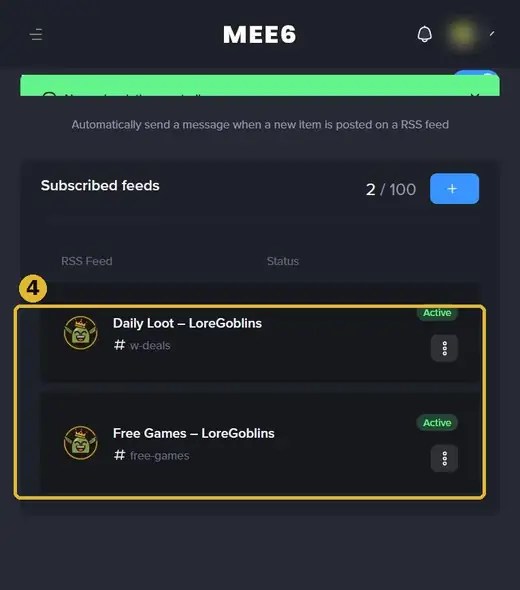
RSS Feeds is a MEE6 Premium module. On the free plan, use MonitoRSS or Readybot.
Readybot (20 Free Feeds)
- Open the dashboard at readybot.io, sign in with Discord and click Add server.
- Click Add bot, name it and choose #humble-bundles as the default channel.
- Click Add feed, paste the feed and save.
Zapier (No Bot Needed)
Create a Zap with the trigger RSS by Zapier → New Item in Feed (paste the feed), then the action Discord → Send Channel Message and pick #humble-bundles. A handful of bundle posts a month barely dents Zapier’s free 100 tasks.
Why Not Just Follow Humble?
You can, but Humble’s own announcements cover every bundle, including ones few gamers want. Our posts pick the bundles worth your money and break down what each tier includes, so your members can decide in a few seconds.
Want to see what’s running right now? Check our every Humble Bundle right now roundup. Pair this feed with our free game alerts and daily game deals, or grab every feed on our Add LoreGoblins to Your Discord page.
Keep digging: every Humble Bundle right now and more Humble Bundle posts.


