

How to Get Daily Game Deals Posted in Your Discord Server
Deal alert channels usually go one of two ways: dead, or so spammy everyone mutes them. Our daily deals feed is the middle ground. It posts once a day: Greedy Gary’s Daily Loot Report, a short list of the best game deals across Steam, PlayStation, Xbox, Nintendo and PC key stores, with each price checked against its all-time low and each game against its reviews.
Here’s how to get it into your own Discord server with whichever bot you prefer.
The Scroll in Brief
- The feed:
https://loregoblins.com/category/deals/daily-loot/feed/ - How often: one post each morning (US Eastern time).
- Want more?
https://loregoblins.com/category/deals/feed/adds every deal post, including sale guides. - Best free bot: MonitoRSS. Readybot if you need lots of feeds.
Step 1: Pick Your Deals Feed
| Feed | Posts | Link |
|---|---|---|
| Daily deals | 1 a day | https://loregoblins.com/category/deals/daily-loot/feed/ |
| All game deals | A few a day | https://loregoblins.com/category/deals/feed/ |
Make a channel for it, like #daily-deals, then follow the steps for your bot.
MonitoRSS (Free, Recommended)
- Open the control panel at monitorss.xyz and log in with Discord.
- Paste the feed into Search popular feeds or paste a URL and click Add Feed.
- Open the feed, click Add new under Connections, choose Discord Channel, then pick your server and #daily-deals.
- Click Next: Choose Template, pick one, and use Send to Discord to test.

MEE6 (Premium)
- Open your server’s MEE6 dashboard and go to Social Alerts → RSS Feeds.
- Click Create my RSS Feed.
- Paste the feed into RSS Link, choose #daily-deals under Channel, and click Save.
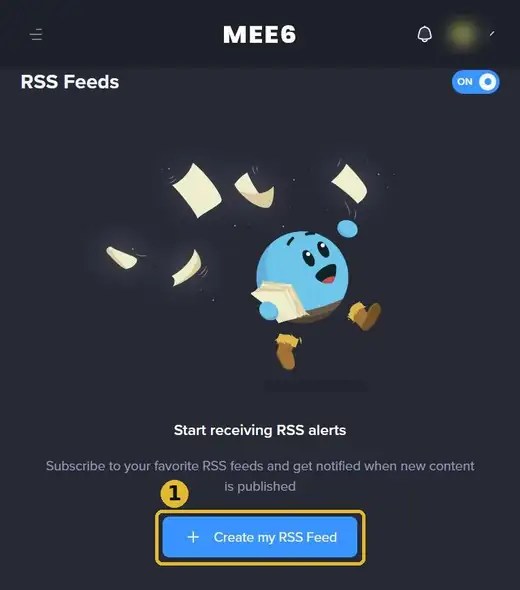
RSS Feeds is a MEE6 Premium module. On the free plan, use MonitoRSS or Readybot.
Readybot (20 Free Feeds)
- Open the dashboard at readybot.io, sign in with Discord and click Add server.
- Click Add bot, name it and choose #daily-deals as the default channel.
- Click Add feed, paste the feed and save.
Zapier (No Bot Needed)
Create a Zap with the trigger RSS by Zapier → New Item in Feed (paste the feed), then the action Discord → Send Channel Message and pick #daily-deals. The daily feed uses about 30 tasks a month, well inside Zapier’s free 100.
Tips for a Deals Channel People Actually Read
- Keep it read-only. Let only the bot post there and send chat to a thread or #general, so the deals stay easy to scan.
- Add a ping role. Make a Deals role people can opt into, and mention it in the bot’s message template (MonitoRSS lets you add it).
- Check the post before you buy. Prices move fast. Every Daily Loot Report says when prices were checked.
Pair it with our free game alerts and Humble Bundle alerts, or grab every feed on our Add LoreGoblins to Your Discord page.
Keep digging: add LoreGoblins to your Discord and more game deals.


